What is epay-gateway
epay-gateway is a unified payment counter for West-African mobile money and card providers. When you pay for something online and the merchant uses epay-gateway, you get a single page where you can choose your preferred payment method — a mobile-money wallet or a card — and pay without leaving the merchant site.
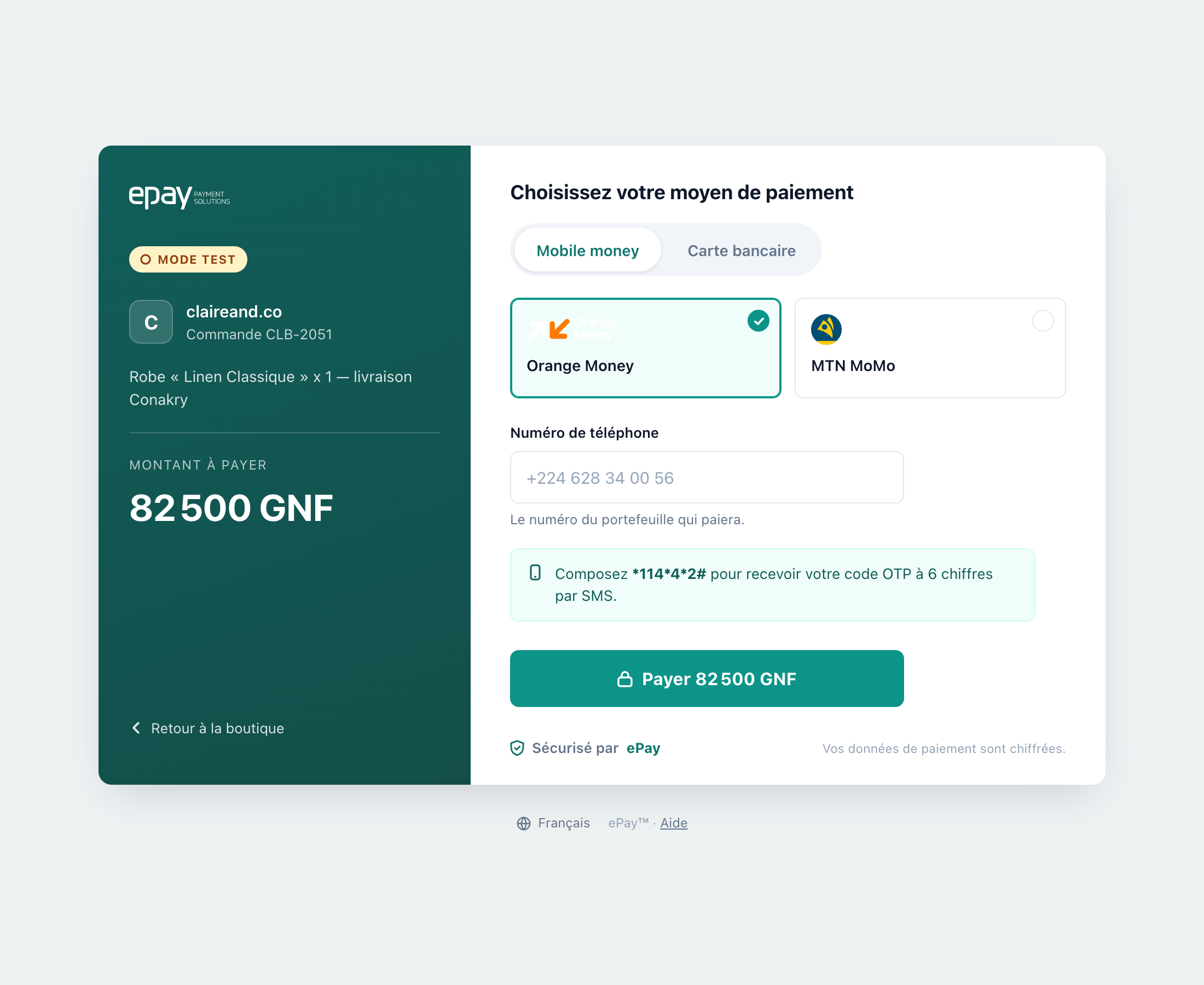
That page is the whole product as far as you're concerned. Whichever method you pick, the layout stays the same, and it appears in your own language — the counter reads your browser's language setting rather than defaulting to one.
What you can pay with
Mobile money — Orange Money, MTN MoMo, Moov Money, Free Money, KULU — and cards. Which of them you see is decided per payment: see Supported payment methods.
How it works — three steps
- Checkout. The merchant redirects you to the epay-gateway counter.
- Pick a method. Select your wallet or card. Enter your phone number or card details. If needed, confirm with an OTP on your phone.
- Done. You're redirected back to the merchant with a receipt, and the merchant receives an instant notification.
Next
- Supported payment methods — what's available and how each works
- How to pay — step-by-step walkthrough
- Security — how your payment data is protected
- FAQ — "I was charged but the merchant didn't receive my payment" and others