How to pay
- One consistent payment page regardless of method: pick, confirm, get your receipt.
- Mobile money asks you to confirm on your handset (USSD prompt or OTP code).
- Keep the receipt reference — it's how support finds your payment.
epay-gateway hides the provider-specific steps behind a single, consistent counter. This is the general flow — your provider may add or remove a step.
Step 1 — Choose a method
On the merchant's checkout page, you land on the epay-gateway counter. Pick the method you want: a mobile-money wallet (Orange Money, MoMo, KULU), a card, or another option the merchant has enabled.
Step 2 — Enter your details
- Mobile money: enter the phone number attached to your wallet.
- Card: enter card number, expiry, and CVV on the secure portal.
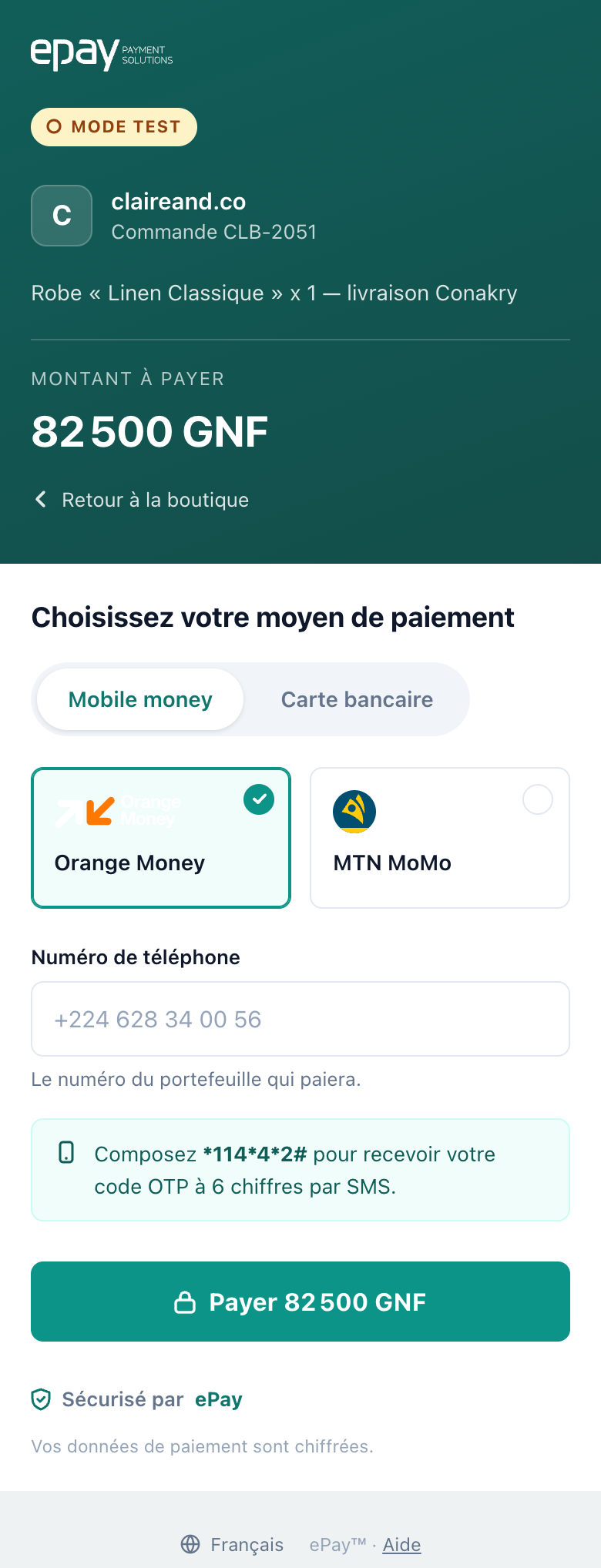
Everything above the button is the whole form — there is no second page before you pay. The counter follows your browser's language, so a French-speaking payer sees the page above and an English-speaking one sees the same layout in English.
Step 3 — Confirm on your phone (mobile money)
Depending on the provider, you either:
- Dial a USSD code (Orange Money): the counter tells you the exact code
(
*114*4*2#). You receive a 6-digit code on your phone. Enter it on the counter. - Approve a push (MTN MoMo, KULU): open the notification on your phone and enter your PIN.
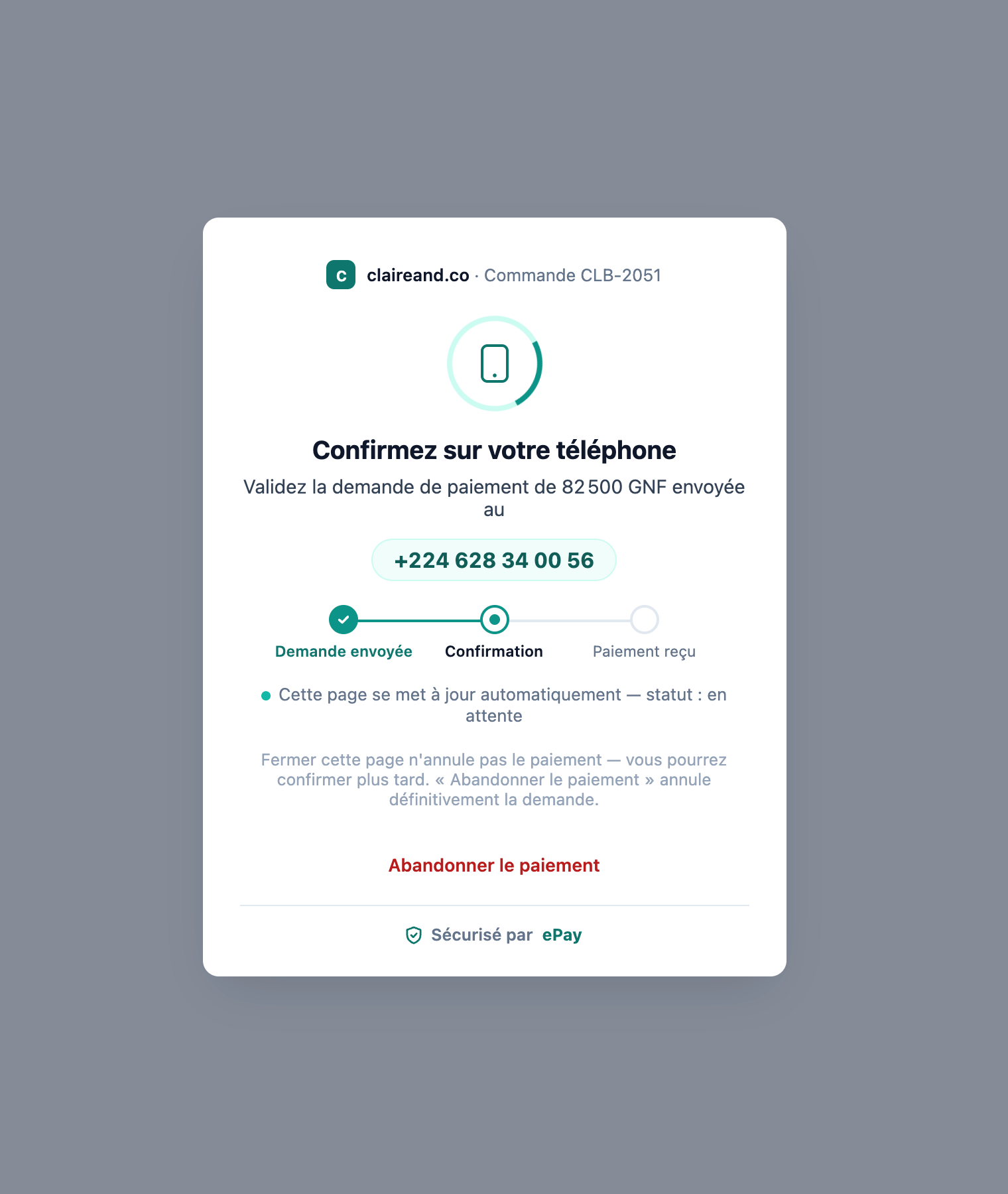
While it waits, the counter polls for the result and updates on its own — you don't need to refresh. Two things worth knowing from this screen:
- Closing the page does not cancel the payment. You can still confirm on your handset afterwards.
- "Abandon payment" does cancel it, permanently. A confirmation that arrives after you abandon is ignored rather than applied.
Step 4 — Get your receipt
When the payment succeeds, you see a receipt with:
- The amount and currency
- The epay-gateway reference
- The merchant reference
- A QR code you can scan to re-verify the transaction later
You're then redirected back to the merchant.
If something goes wrong
- Counter says "Timeout": the provider didn't respond in time. Retry — your wallet may still deduct or refund automatically within a few minutes.
- Payment failed but phone shows money debited: keep the epay-gateway reference from your SMS and see the FAQ.